01Connect
Your hosts, directly.
Save SSH profiles or add a Tailcat token. Use passwords, private keys or interactive authentication. Review the host fingerprint before connecting.
SSH · Tailcat · Secure credential storage
 termcat
Free, open-source mobile SSH
Connect to your hosts, follow your agents, and pick up the session you left running.
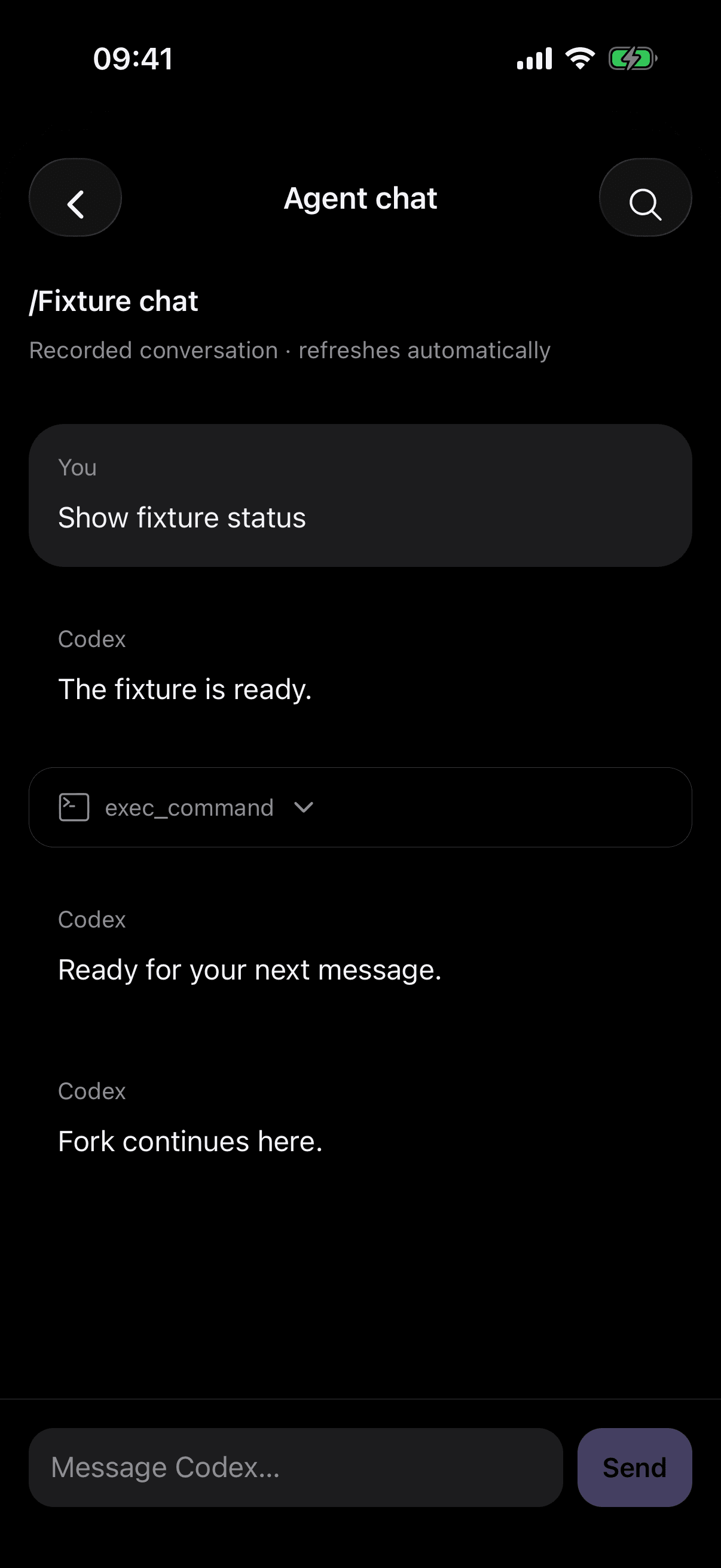
Follow live Codex and OpenCode replies in one chat view. Expand tool results, inspect images, and review your draft before sending. Recorded Claude and Codex history opens here too.
Actual iOS capture · Sample conversation
Built around the way you work
Save SSH profiles or add a Tailcat token. Use passwords, private keys or interactive authentication. Review the host fingerprint before connecting.
SSH · Tailcat · Secure credential storage
Attach to tmux or Herdr on your host. Switch windows and panes, minimize the terminal, and return to the work already running there.
tmux · Herdr · Session discovery
Work brings terminals and discovered agent sessions into one inbox. Search, mark priority, rename and archive with a swipe.
Work inbox · Priority · Agent filters
Browse remote files, transfer a photo, check Git changes or open a host web preview. Stay close to the project without opening your laptop.
Files · Git diffs · SSH web previews
Arrange your toolbar. Save a command. Dictate into a draft and check it before sending. Use your hardware keyboard when you have one.
Explore input and shortcutsShortcuts, gestures and a customizable toolbar.
Your host does the work
Your processes live on your computer. Termcat handles the connection and the terminal. Core SSH needs no Termcat service or software installed on the host.
How Termcat handles dataNo. Core SSH use has no account requirement, connection quota or required backend. Optional remote alerts and hosted file links have separate enrollment.
Use tmux or Herdr on the host for work you want to return to. Your phone may lose its connection in the background. Termcat reconnects to the host-owned session; a plain SSH shell may end when the socket closes.
Use your terminal agents over SSH, or open the shared chat view for recorded Claude/Codex conversations and live Codex/OpenCode sessions. Live chat supports streaming replies, tool results, images and explicit approval requests. It requires Python 3 and the supported agent server on your host.
Remote alerts require the optional host integration and a configured notification service. That service is not publicly hosted yet. Local activity and iOS Live Activities are separate from reliable closed-app delivery.
SSH traffic goes to your chosen host. Credentials use secure device storage. Optional cloud sync, hosted file links and speech providers send the data needed for the feature you enable. The privacy page explains those paths.
Termcat is currently in development. Public store downloads have not been released. The Get Termcat page explains the current build and setup requirements.